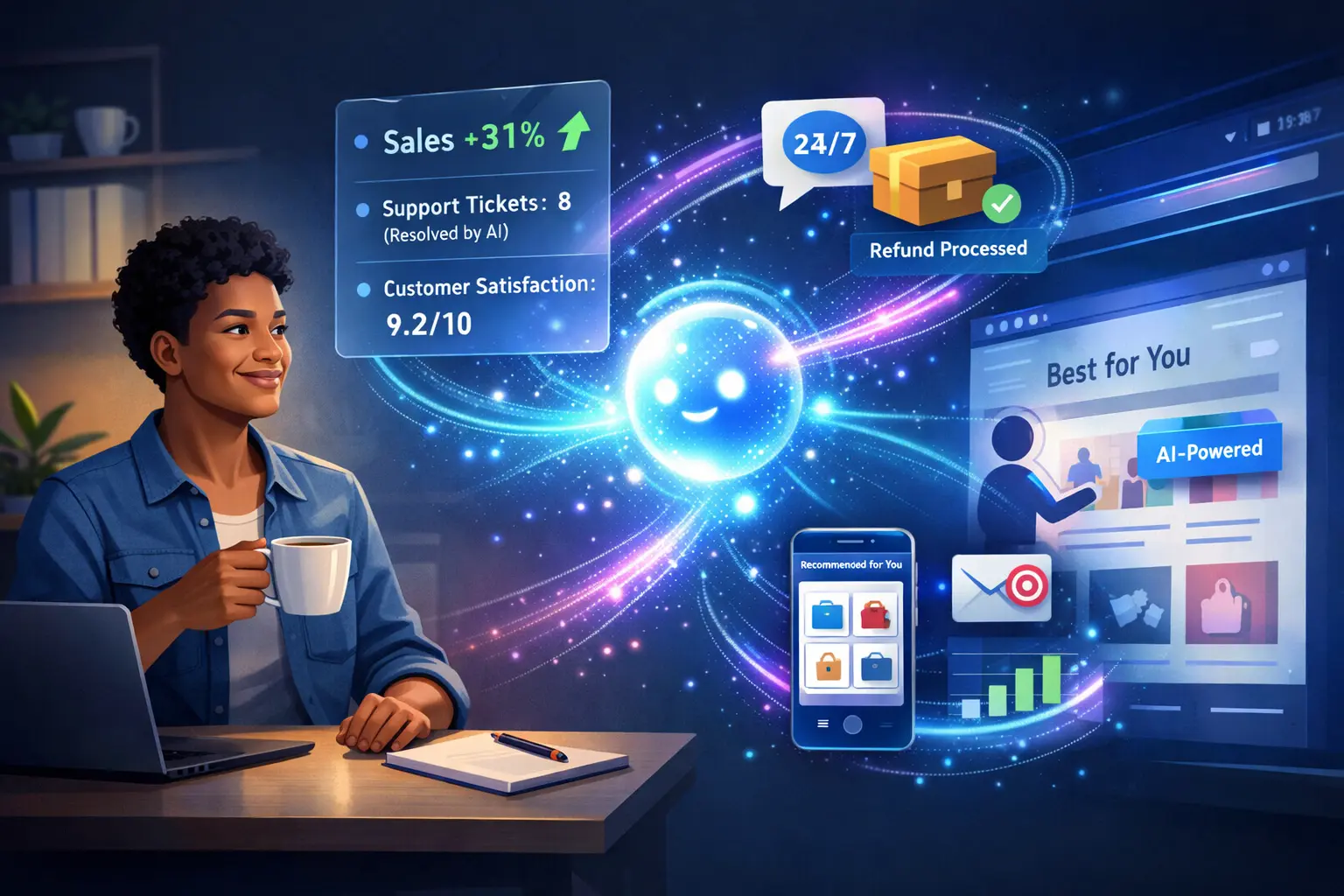
Executive Summary: An AI-powered website uses artificial intelligence (AI) tools—often called AI agents—to automate tasks and deliver personalized experiences. AI agents on websites can chat with customers, tailor content, qualify leads, and even generate marketing copy. For example, an AI chatbot can answer FAQs 24/7, and AI-driven recommendation engines can suggest products that boost sales. These smart systems save time and money (IBM notes they can handle complex tasks with minimal human input 1), but they also come with costs (subscription or development), maintenance needs, and privacy considerations 2. Small businesses should weigh their customer volume, budget, and industry needs: firms facing lots of routine inquiries or content demands often benefit most 3 4. Ultimately, AI tools are increasingly mainstream (80% of marketers use AI now 5), so even small companies should consider a pilot. In 2026, an AI-powered site is a competitive option for many, but not a necessity for every business. Below, we define key terms, show 5 concrete use cases (with real benefits), and list criteria to help decide if you should invest in one.
Suggested Headings:
- What Is an AI-Powered Website? (Definition and AI Agents)
- How Do AI Agents Work on Your Website? (Automation and Examples)
- 5 Website Tasks AI Agents Can Automate (Table of Use Cases & ROI)
- Benefits vs. Drawbacks of AI on Your Website (Cost, Privacy, Accuracy)
- Does Your Small Business Need an AI-Powered Site in 2026? (Criteria and Advice)
What Is an AI-Powered Website?
An AI-powered website is one that embeds AI technologies to handle functions automatically or to personalize user interactions. Rather than relying only on static pages and manual processes, an AI-powered site can adapt dynamically. For example, it might adjust content based on a visitor’s behavior or use AI chatbots to engage customers. An AI-powered site often integrates AI agents – autonomous software programs that perform tasks by combining natural language and data analysis. IBM defines an AI agent as “a system that autonomously performs tasks by designing workflows with available tools” 1. In practice, AI agents can range from chatbots and recommendation engines to advanced back-end processes. Essentially, an AI website uses these agents to work behind the scenes (and sometimes front-and-center) to improve efficiency and user experience.
How AI Agents Work on Websites
On a website, AI agents act like virtual assistants. A visitor might ask a question in a chat window, and an AI agent uses natural language processing to understand it. It can then pull data from the backend (product databases, knowledge bases, CRM, etc.) and reply. Unlike rigid scripted bots, these agents “are goal-driven and autonomous” – they interpret intent, adapt responses, and execute complex workflows. For instance, if a customer asks, “Where is my order?”, an AI agent can authenticate the user, look up the order in the e-commerce backend, and respond with status updates, all without a human agent. In effect, the AI agent coordinates user input and data systems to deliver an outcome. The flow might look like this:
[Diagram: Visitor ↔ AI Agent ↔ Backend Systems]
This simple flowchart shows the loop: a visitor interacts with the AI agent, the agent queries backend systems for information or actions, then the agent delivers an outcome (an answer or completed task) back to the visitor. Importantly, modern AI agents learn and improve over time (storing interactions in “memory” and refining their models), so they can handle increasingly complex queries and reduce the need for manual handovers 7 2.
5 Website Tasks AI Agents Can Automate
AI agents shine at repetitive or data-driven tasks on a website. The table below lists five concrete tasks, along with example tools or technologies, a real use-case scenario, and typical ROI or benefits:
| Task | Example AI Tool / Tech | Business Use Case | Typical ROI / Benefit |
|---|---|---|---|
| Customer Support Chatbot | GPT-4-based chat (e.g. Intercom AI) | An online store adds a chatbot to answer FAQs, track orders, and handle refunds any time. It instantly resolves common queries (shipping status, return policy, etc.). | Deflects ~60–85% of routine queries (no human needed) 8, providing 24/7 support. Amex reduced support costs ~25% and boosted satisfaction by ~10% with a chatbot 9. Saves thousands of agent-hours. |
| Product Recommendations | AI recommendation engine (e.g. Algolia Recommend) | A retail website uses AI to suggest products (“Customers also bought…”). | Personalized recommendations can drive up to ~31% of e-commerce revenue 10. Sessions with engaged recommendations see ~369% higher average order value 11. Increases conversion and sales without extra ad spend. |
| Email / Marketing Automation | AI-driven email platform (e.g. HubSpot AI, Mailchimp AI) | A small B2C business automates email campaigns: sending tailored follow-ups to leads or customers (e.g. cart abandonment, birthdays) using AI-personalized content. | Email marketing yields ~$36-42 return per $1 spent 12. Personalized emails convert ~6× more often 14. AI ensures timely, relevant outreach, boosting open rates and revenue. |
| Content Creation & Copy | AI writing assistant (e.g. ChatGPT, Jasper) | A local service provider uses AI to draft blog posts, social posts, or product descriptions. | Content marketing typically returns ~3× the investment 15. With AI, businesses report up to 88% faster content production and efficiency gains 5. Frees owner’s time and can scale content output without hiring. |
| Lead Scoring / Qualification | CRM AI (e.g. Salesforce Einstein) | A B2B company’s website captures inquiries. An AI agent analyzes each lead’s data (industry, behavior, past interactions) to score and prioritize them for sales follow-up. | Focuses sales on “hot” leads. AI lead scoring predicts who will convert better than rule-based systems 16 17. Improves conversion rates and shortens sales cycles by targeting high-potential clients first. |
Each use case above is based on real-world implementations of AI agents or similar automation tools. For example, E-commerce sites use chatbots like Fin by Intercom (powered by GPT) to reduce support tickets 18, and retailers like H&M saw chatbot interactions lift conversions ~25% 19. The ROI figures (e.g. 10x ROI on emails, 12 hours saved per month) come from industry studies and vendors. For instance, Intuit found SMBs save ~12 hours/month on average using AI agents 20, and marketers often see multi-hundred-percent ROI on AI-driven campaigns 10 12.
Benefits vs. Drawbacks of AI on Your Website
Benefits: Integrating AI agents can offer big advantages. Key benefits include:
- Time and Cost Savings: Automating routine tasks (like FAQs or data entry) frees staff for higher-value work. Small businesses can save hours each week 20. Overhead drops since AI chats cost far less than hiring new staff or paying overtime 21.
- 24/7 Availability: AI chatbots and agents never sleep. They can handle inquiries outside business hours (even weekends) without extra cost 22 23, improving customer experience.
- Personalization at Scale: AI can tailor content, product suggestions, and messaging to each visitor in real time 24 10, boosting engagement and conversions. (72% of consumers now expect personalization 25.)
- Improved Accuracy: Machine learning excels at data consistency. Agents can reduce human error in data entry, classification, and analytics 26. They can also analyze large datasets (like customer behavior) to extract insights quickly.
- Scalability and Insight: AI can spot trends and make predictions (for sales forecasts, inventory needs, etc.) that a small team might miss. Tools like predictive analytics agents help SMBs make data-driven decisions without hiring data scientists 27 20.
Drawbacks/Risks: However, caution is needed:
- Cost & Maintenance: AI platforms (especially advanced ones) can be expensive to implement and maintain. Custom agents require ongoing tuning. Subscription-based AI (e.g. chatbots) may charge per user or usage. Even if initial setup is low-code, you may need technical support or developer time for training the models.
- Privacy & Data: AI agents often need access to customer data and user interactions. This raises data privacy concerns – you must ensure compliance (e.g. GDPR) and protect data from breaches 28. Plus, AI logs and stores user queries, which requires careful security.
- Accuracy and Bias: No AI is perfect. LLM-based agents can produce incorrect or biased responses if not monitored 29. Businesses must guard against misinformation or awkward outputs. Human review and clear failure modes (e.g. handoff to a live agent) are important.
- Integration Complexity: Adding AI often means integrating with existing systems (CRM, inventory, CMS). This can be technically challenging and sometimes requires legacy systems upgrades 30. As one IBM source notes, adopting AI agents requires specialized skills and can demand significant compute resources 31.
- Overkill for Small Traffic: If your site only gets a few visits a day, the overhead might not pay off. A tiny business may do fine with simple contact forms or off-site support, rather than a full AI deployment.
In summary, AI agents deliver productivity and personalization advantages 32, but they also introduce costs (and complexity) that must be weighed against the expected benefits.
Does Your Small Business Need an AI-Powered Website in 2026?
Not every small business needs an AI-enabled website, but many will find it valuable by 2026. To decide, consider:
- Repetitive Workload and Volume: Are you spending a lot of time on routine online tasks? (Responding to similar inquiries, qualifying leads, writing content, etc.) If you or your team frequently handles repetitive questions or follow-ups, an AI agent can free you up 33 4. If your customer service volume warrants it (e.g. dozens of tickets per week), a chatbot or support agent can pay for itself.
- Industry and Traffic: E-commerce, tech, and service industries with moderate-to-high web traffic benefit most. Retailers and SaaS companies often see big gains from personalized shopping assistants and automated sales emails. Low-traffic sites (like a very local brick-and-mortar) may not need full AI features yet. In industries where 24/7 availability is expected (travel, e-commerce, healthcare), AI can be a game-changer.
- Budget and ROI: AI tools range from affordable SaaS to custom enterprise solutions. Many AI chatbots and agents now offer pay-as-you-go or subscription pricing. Compare the cost to the time and money you’ll save. The U.S. Small Business Administration advises small firms to “start small” with free or low-cost AI tools to test value 34. Calculate potential ROI (e.g. if a chatbot cuts support calls by half, what is that savings?).
- Customer Service Needs: Do your customers expect fast responses or 24/7 help? If you lose sales or satisfaction because inquiries go unanswered overnight, an AI agent fills that gap 22 35. Also, younger demographics especially appreciate on-site chat and quick answers.
- Content and Marketing Demands: Are you blogging, emailing, or advertising frequently? AI can create and optimize content faster. If content marketing is key to your strategy, AI tools (writing, SEO, keyword analysis) can boost output and performance 15 5.
- Company Size and Growth Plans: Smaller teams growing fast may need AI to scale without adding headcount 36. If hiring more staff is tough or expensive, AI agents can help you “do more with less” by automating routine work.
As a rule of thumb, consider an AI-powered site when the potential benefits clearly outweigh the costs. Many small businesses find early success by deploying AI in one area (e.g. chat support) as a pilot project. If you see even modest time savings or sales lift, expanding to other AI features makes sense. By 2026, AI tools will be widespread; being an early adopter can give a competitive edge (80% of marketers already use AI tools 5). But be pragmatic: if you have a niche local shop with minimal web interaction, a full AI overhaul might not be urgent.
Conclusion and CTA
In summary, AI-powered websites use AI agents to automate tasks and personalize the visitor experience. They can handle chats, make recommendations, tailor marketing, and more 18 17. For many small businesses, adopting AI features by 2026 will be a smart move – provided you have the traffic, budget, and business need to justify it. If your business spends lots of time on repetitive web tasks or wants to scale customer engagement efficiently, an AI-powered site can deliver measurable benefits.
Ready to explore AI for your website? Contact Humble Tech X for a free consultation. Our team specializes in modern, custom solutions for small businesses. We’ll help you assess which AI-powered features suit your needs and implement them on your website, so you can work smarter – not harder. Reach out today and let’s build a site that works for you, day and night!